


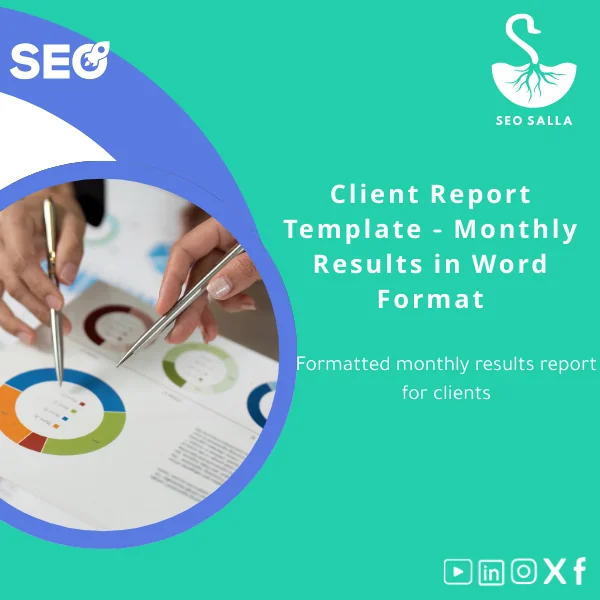
Client Report Template – Monthly Results in Word Format
Original price was: 59.00 $.49.00 $Current price is: 49.00 $.
A ready-to-use Client report template in Word that helps agencies, SEO specialists and website owners present monthly results clearly, professionally, and quickly — with data sections, charts placeholders, and client-friendly commentary prompts.
Key benefits & value for buyers
The Client report template is designed to convert raw SEO and analytics data into a clear monthly narrative that clients understand. Instead of building reports from scratch, use the template to:
- Speed up delivery: Turnover reports in under an hour by populating pre-built tables and comment blocks.
- Improve clarity: Built-in explanations for metrics (sessions, organic clicks, impressions, conversions) reduce follow-up questions.
- Standardize quality: Consistent layout across clients helps agencies scale without losing professionalism.
- Close more retainers: Professional monthly reports demonstrate value and support renewal conversations.
Use cases & real-life scenarios
Scenario 1 — Small agency with multiple clients
Use one master copy and duplicate for each account. Replace data placeholders with exports from Google Search Console, Google Analytics, or Ahrefs. Add a one-paragraph summary and a short list of next actions — ready to send as PDF to the client.
Scenario 2 — In-house marketing for an e-commerce site
Monthly marketing manager report showing organic revenue, product category performance, and top opportunity keywords. Use the template’s conversion section to prove ROI and prioritize tasks for the next month.
Scenario 3 — Freelance SEO consultant
Short, persuasive client results report template ideal for freelancers who need to show progress without overproducing. The template’s “what we did” and “what’s next” sections reduce client questions and centralize scope discussions.
Who is this product for?
This client report template is aimed at:
- Website and e-commerce owners who want to present performance to stakeholders.
- Digital marketing specialists and SEO professionals needing a professional client report template.
- Agencies and freelancers looking for a monthly client report Word file to speed up delivery and scale reporting processes.
If you regularly produce monthly performance reports and value clarity, repeatability, and data-driven recommendations, this template fits your workflow.
Quick comparison with typical alternatives
You can create reports using dashboards, spreadsheets, or design tools. This template sits between raw data and polished design:
- Vs. dashboards: Dashboards are great for exploration; this template is tailored for client communication and interpretation.
- Vs. spreadsheets: Spreadsheets hold data but lack narrative and client-ready formatting — the template combines tables with copyblocks.
- Vs. custom design: Custom-designed PDF reports look premium but require more time and design skills. The Word template balances speed with professionalism.
Best practices & tips to get maximum value
- Automate data exports: Save CSVs from analytics tools and paste into the template tables for accurate monthly figures.
- Use charts: Replace placeholder images with screenshots of trending charts for visual impact.
- Keep the executive summary short: One slide-paragraph of the highlights and three recommended actions increases client satisfaction.
- Customize language per client: Use the included client-friendly explanations but adjust tone to the client’s technical level.
- Archive versions: Save a dated PDF copy each month to demonstrate progress over time during renewals and case studies.
Common mistakes when buying or using report templates — and how to avoid them
- Mistake: Sending raw tables with no commentary. Fix: Use the “insights” fields to explain why metrics moved.
- Mistake: Overloading clients with every metric. Fix: Focus on KPIs that map to business outcomes (traffic, conversions, revenue).
- Mistake: Ignoring file compatibility. Fix: This is delivered in Word (.docx) and is fully editable in Microsoft Word and most compatible editors.
Product specifications
- Format: Microsoft Word (.docx)
- Pages: 6–12 sections (summary, traffic, keywords, technical, conversions, action plan)
- Editable elements: Text, tables, placeholder chart images, header/footer
- Language: English (easy to adapt to Arabic or bilingual with simple edits)
- Compatibility: Word desktop, Word Online, Google Docs (import), OpenOffice (partial)
- Delivery: Instant digital download after purchase (zip containing .docx and simple usage notes)
- Usage notes: Replace placeholders with exported data; save as PDF when sending to clients
Frequently asked questions
Is this template compatible with Google Docs?
Yes. The template is delivered as a .docx file. You can upload and open it in Google Docs — formatting may require minor adjustments (fonts and page breaks) after import.
Can I brand the report with my agency logo and colors?
Absolutely. The Word file includes editable headers and color styles. Replace the logo and adjust the paragraph styles to match your brand guidelines.
Will this template work for non-SEO monthly reports (e.g., PPC, social)?
Yes — while structured for SEO and organic performance, the template’s sections are flexible. Swap keyword tables for campaign metrics and reuse the insights/action framework.
What if I’m worried about the price or value?
Consider time saved: a consistent client report reduces hours spent per client each month and improves renewal conversations. We also provide usage tips to maximize ROI immediately after purchase.
Ready to present monthly results with confidence?
Get a professional client report template that your clients can read and act on. Reduce reporting time and increase perceived value with a data-driven, client-friendly format.
Instant download. Editable in Word. Includes usage notes and examples.
Related products

Backlink Toxicity Report for Authority Analysis
Backlink Tracker Sheet for Effective Link Management

Canonical HTTPS Audit Sheet for URL and Redirect Optimization

Core Web Vitals Evaluation Template for Page Speed Optimization
Crawl and Index Check Template for SEO Page Monitoring

Keyword Clustering Template for Auto-Clustering Keywords

SEO SWOT Analysis Template for Effective SEO Planning
A ready-to-use, data-driven SEO SWOT analysis template that helps website and e-commerce owners and digital marketing teams convert raw SEO data into a prioritized action plan — clarify strengths, surface weaknesses, identify opportunistic keyword and technical wins, and map threats from competitors and algorithm changes.

Reviews
Clear filtersThere are no reviews yet.